The short answer
A mail server is blacklisted when its sending IP, or sometimes its domain, appears on a DNS list that receiving servers query before accepting mail. You add the IP of each outbound mail server to BlacklistMonitoring once. We query 109 lists on a schedule, every 60 minutes on Starter, every 15 minutes on Business and every 5 minutes on Agency and Scale, and send an alert that names the server, the list and the return code the moment a status changes.
You also get a reverse DNS check for every address, because a missing or mismatched PTR record gets mail rejected as fast as a listing does. Alerts go to email and Slack. Plans start at $49 a month for 10 IPs and domains, and $149 for 100 on Business.
Why a self-hosted mail server needs its own monitoring
Hosted mail platforms watch their own IP pools. A server you run yourself has no one doing that. A compromised mailbox, a web form that lets bots send, an outdated plugin on a mail-capable web host or a neighbour on the same /24 can put the address on a list overnight. The first sign is usually a customer saying that your quote never arrived.
The cost is easy to count. A small business sending 300 business emails a day, with an average order or lead worth $120, that loses a Friday afternoon and the whole weekend to a silent block has 600 messages undelivered by Monday. Even if only one in twenty carried a real opportunity, that is 30 conversations at risk. A 15 minute check turns a three day outage into a one hour one.
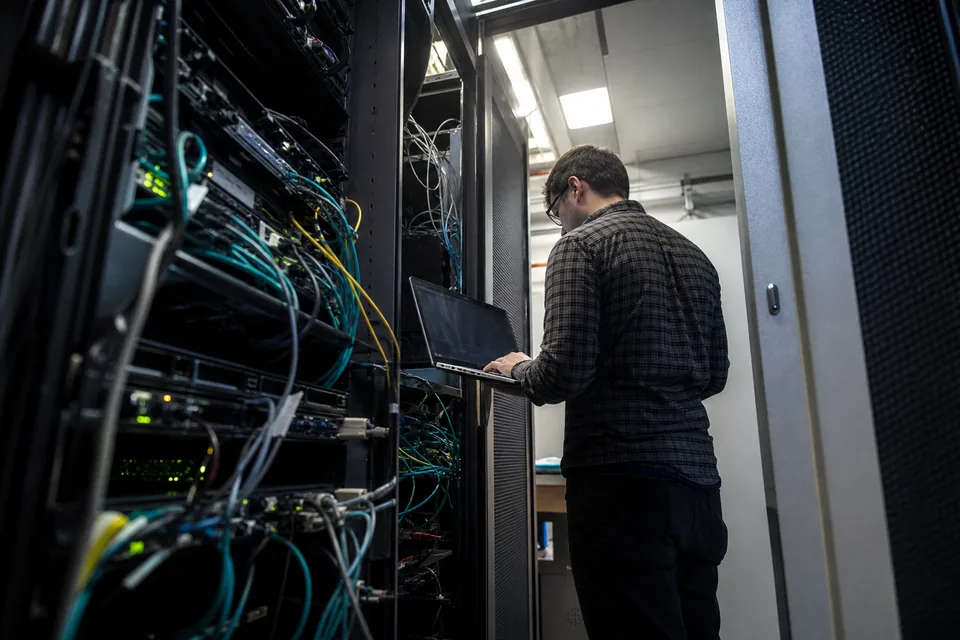
What we check for each mail server
Add each address that can send mail for you: the main server, the secondary or backup relay, the IP of the web server that sends form mail, and the IPs of any smart host you use. Forgetting the one relay that carries invoices is the common mistake.
| Check | What it catches | Why it matters for a mail server |
|---|---|---|
| 109 DNS blacklists on the outbound IP | Spamhaus, Barracuda, UCEPROTECT, SpamCop, SORBS style lists and policy lists | Receiving servers reject or defer mail from listed IPs, often with a bounce code that names the list |
| Return code of the listing | Whether the cause is a spam source, a policy range or a spam trap hit | The code tells you which removal route applies, see the blacklist removal workflow |
| Reverse DNS (PTR) and forward confirmation | Missing PTR, PTR that does not resolve back to the IP | Large providers reject bulk mail from addresses with no matching reverse DNS |
| Delisting | A list dropping the IP after removal or expiry | You know when it is safe to resume sending without re-checking by hand |
| Domain lists | Your sending domain on URL and domain blacklists | Covered by domain blacklist check in the same workspace |
How to set it up in about ten minutes
-
1
Find your outbound IPs. Send a test message to any mailbox and read the first
Receivedheader from your own server, or check the address your server reports when it connects out. - 2 Add each IP and, if you want listings on the domain, the sending domain. Starter holds 10 assets, Business 100, Agency 500 and Scale 5,000.
- 3 Connect an alert channel. Email works at once, Slack takes one authorization.
- 4 Read the first full result. If an IP is already listed, the alert includes the list name, the return code and the removal link.
- 5 Fix the cause before you request removal. Lists relist an IP that is still sending spam, so close the open relay or reset the hijacked account first.
Plans for one server or a whole fleet
A company with one or two mail servers is fine on Starter. An IT provider that runs mail for 30 clients uses Business so each client server is checked every 15 minutes. Hosting companies with whole ranges, where one listing at a lower level can escalate to the full allocation, should read about IP blacklist monitoring and UCEPROTECT escalation.
| Plan | IPs and domains | Check interval | Alert channels |
|---|---|---|---|
| Starter, $49 a month | 10 | 60 minutes | Email, Slack |
| Business, $149 a month | 100 | 15 minutes | Email, Slack, Teams |
| Agency | 500 | 5 minutes | Email, Slack, Teams |
| Scale | 5,000 | 5 minutes | Email, Slack, Teams |
Who buys mail server blacklist monitoring
IT managers and sysadmins at companies that keep mail on their own servers, managed service providers that host mail for clients, web hosts whose customers send form mail, and ecommerce shops that send order mail from their own SMTP. All of them share one problem: nobody reports a listing until the damage is done. If you only need a single lookup right now, the IP blacklist checker answers it. If the problem repeats, a monitor is cheaper than the next lost weekend.
For the cleanup itself, Spamhaus publishes its removal rules in the Spamhaus resource hub, and each list explains how to request removal on its own site.
What this does not do
We do not run your mail server and we cannot delist an IP for you. A list removes an address only when its operator is satisfied that the abuse has stopped, and no service can force that. We tell you quickly and precisely what is listed and where to ask.
Frequently asked questions
How do I monitor my mail server for blacklisting?
Add the outbound IP of the server to a monitoring service that queries DNS blacklists on a schedule and alerts on change. BlacklistMonitoring checks 109 lists, every 60 minutes on Starter and every 15 minutes on Business, and sends an alert with the list name and return code.
How often should a mail server be checked against blacklists?
Every 15 minutes or faster for mail that carries revenue. Lists change at any hour, and a daily check leaves up to 24 hours of rejected mail before you learn about it. Starter checks hourly, Business every 15 minutes.
Why is my mail server blacklisted?
Common causes are a compromised mailbox, an open relay, a web form abused by bots, an infected machine on the same network or a neighbour on a shared range. The return code in the alert says whether it was spam reports, a trap hit or a policy listing.
Does a clean blacklist result mean my mail is delivered?
No. A clean result means no public list has the IP. Providers also keep private reputation, and a missing reverse DNS record or failing authentication causes rejections too. We check reverse DNS for every IP alongside the lists.
Can you remove my mail server from a blacklist?
No one can do that for you. Each list removes an address only after its operator confirms the problem is fixed. We show which list holds your IP, the return code and the removal route, so you start at the right place.
How much does mail server blacklist monitoring cost?
Starter is $49 a month for 10 IPs and domains, Business is $149 a month for 100 with 15 minute checks. Agency and Scale cover 500 and 5,000. Yearly billing is cheaper, see the pricing page.